
From a photo of an invoice to an approved entry — the full road
What you do, what we do, and how long each of them takes.
From a photo of an invoice to an approved entry
What exhausts a small business is not the accounting itself but the road to it: a bag of receipts, late manual entry, an accountant who visits once a month and asks about a slip lost in March. Tadween inverts the order: the document enters the system the moment it is issued, and the rest happens behind the scenes.
1. You type it, photograph it, or say it
An invoice, a receipt, a bank statement: photograph it from your phone browser, send it on WhatsApp, or upload it from your computer — one at a time or in bulk, as an image or a PDF. And if there is no paper at all, type the transaction in your own words — “paid QAR 450 cash today for generator rent” — or say it in a voice note, and Tadween reads back what it heard before acting on it.
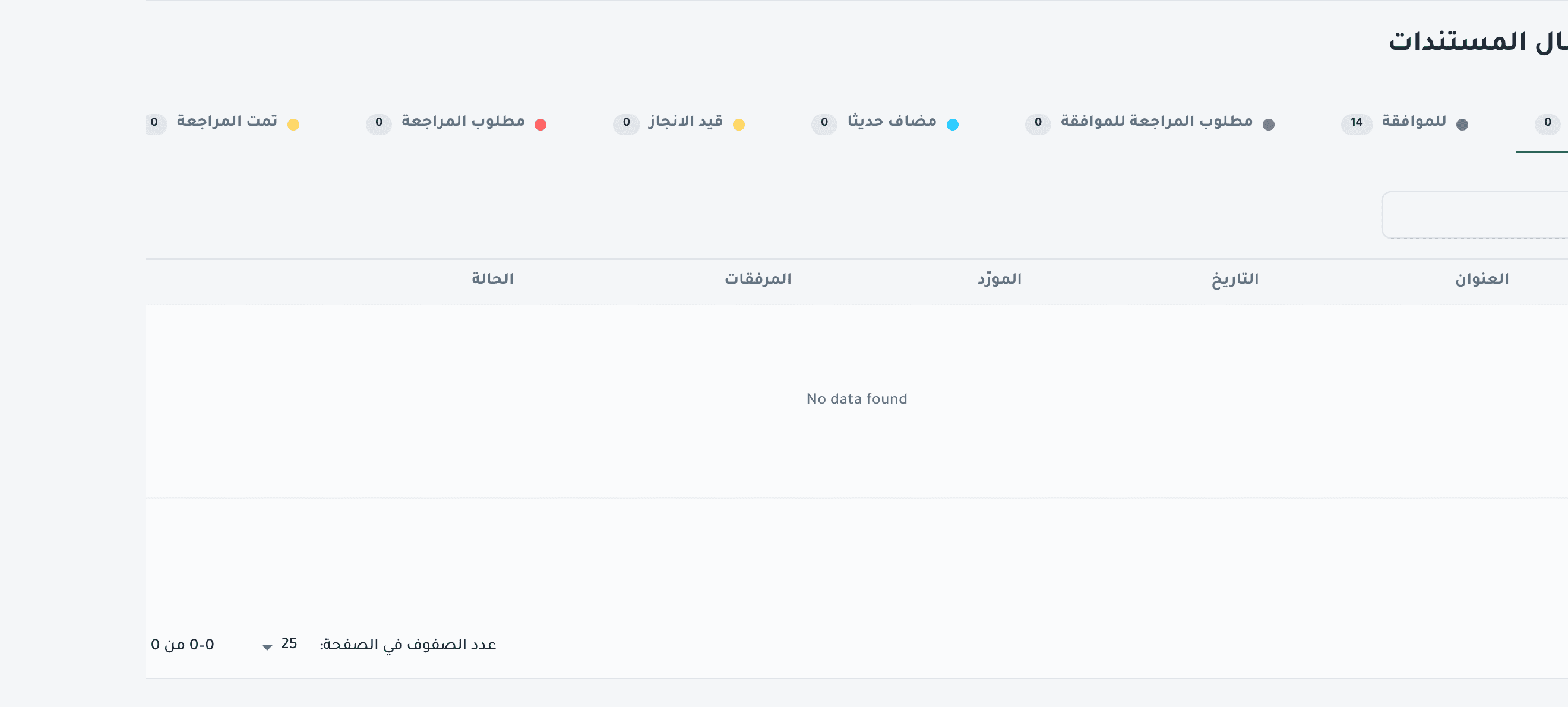
2. It is read within a minute
AI reads the document in Arabic natively, not in translation, and extracts what the entry is built from: the party (supplier or customer), the date, the currency, the tax, the total, the line items with their descriptions, quantities and prices, the expense category, and its own confidence in the reading. The reading then passes arithmetic rules on the server — a total that does not match the line items, a date outside the reasonable range, a missing party, a currency that is not QAR, low confidence — and whatever they doubt comes back marked “ review” beside that exact field, on the screen and in the chat, never passed silently.
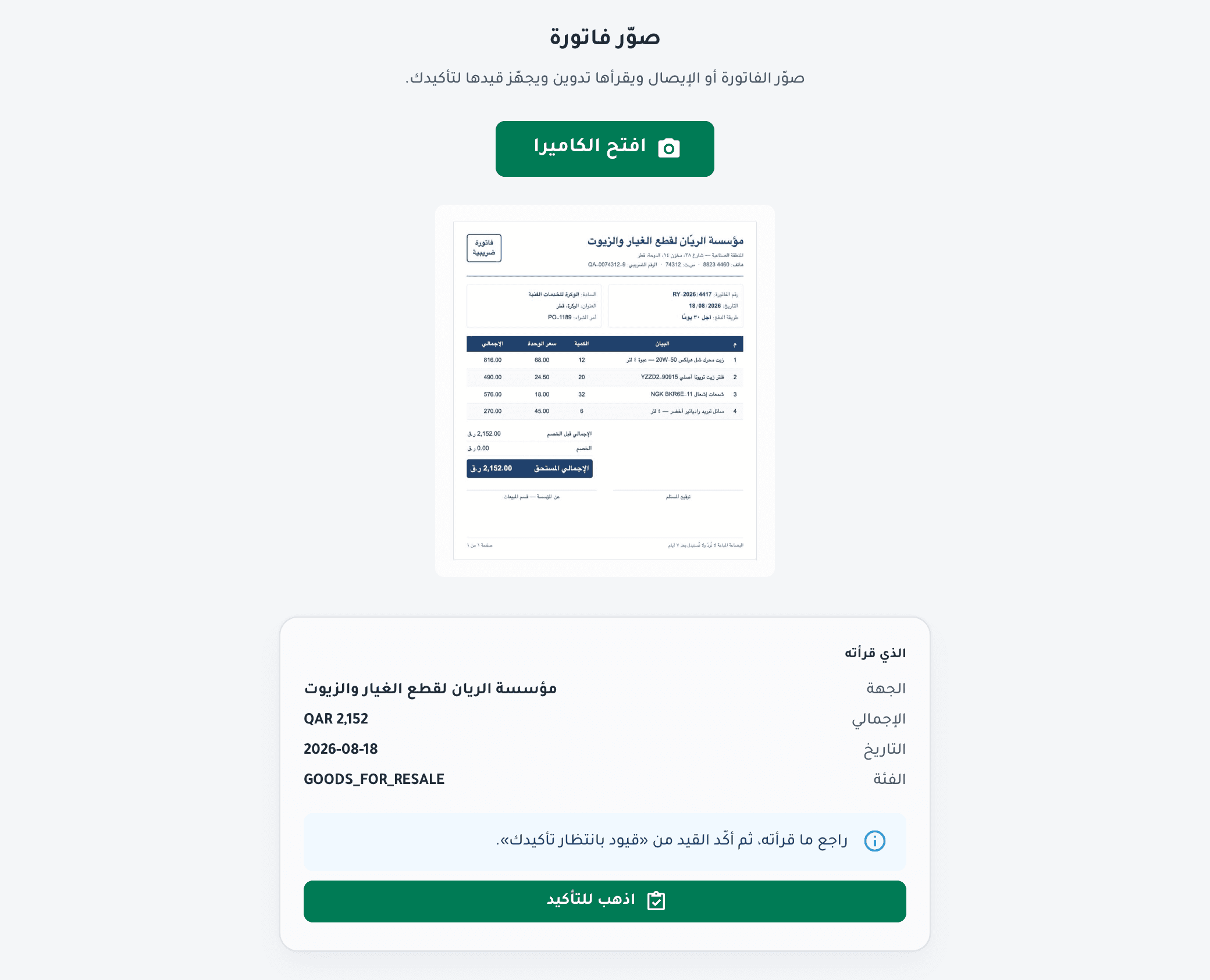
3. It passes a human before it reaches the ledger
In the conversation: you look at what it read and type “confirm”, and the entry is posted and its document sealed — the agent books nothing by itself. On the screen: the document waits in “needs review” with its entry, its line items and its debit and credit accounts, where you or the Tadween accountant assigned to your file check it and press “post to the ledger”. Anything unclear comes back to you as a written review request, not as a phone call at month end.
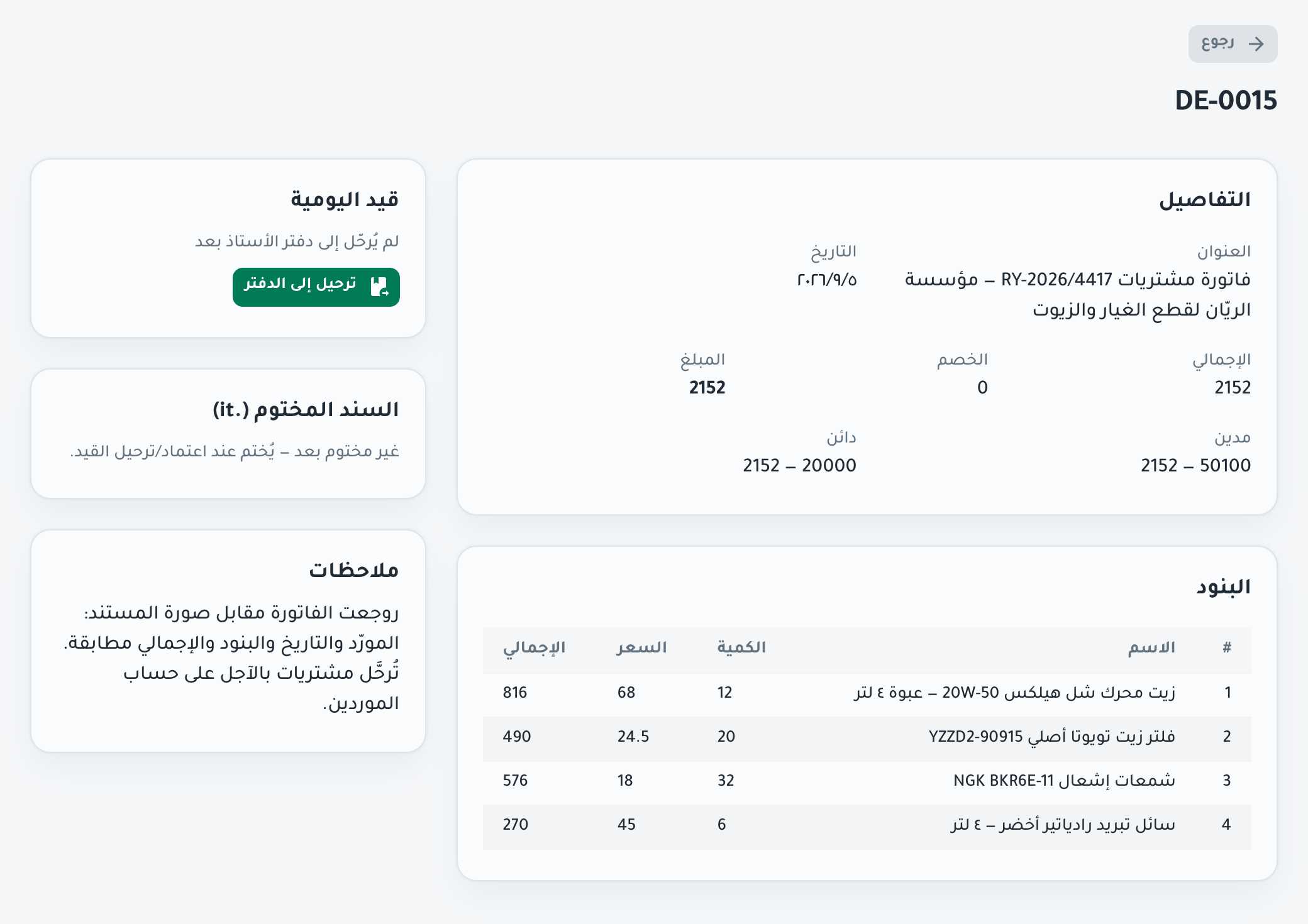
4. Approved, archived, and answerable
Once approved, the entry settles in your books and the document is archived and indexed — retrieved by search, not by digging through drawers. From that moment it is a number you can ask about: “how much did we spend on fuel this quarter?”
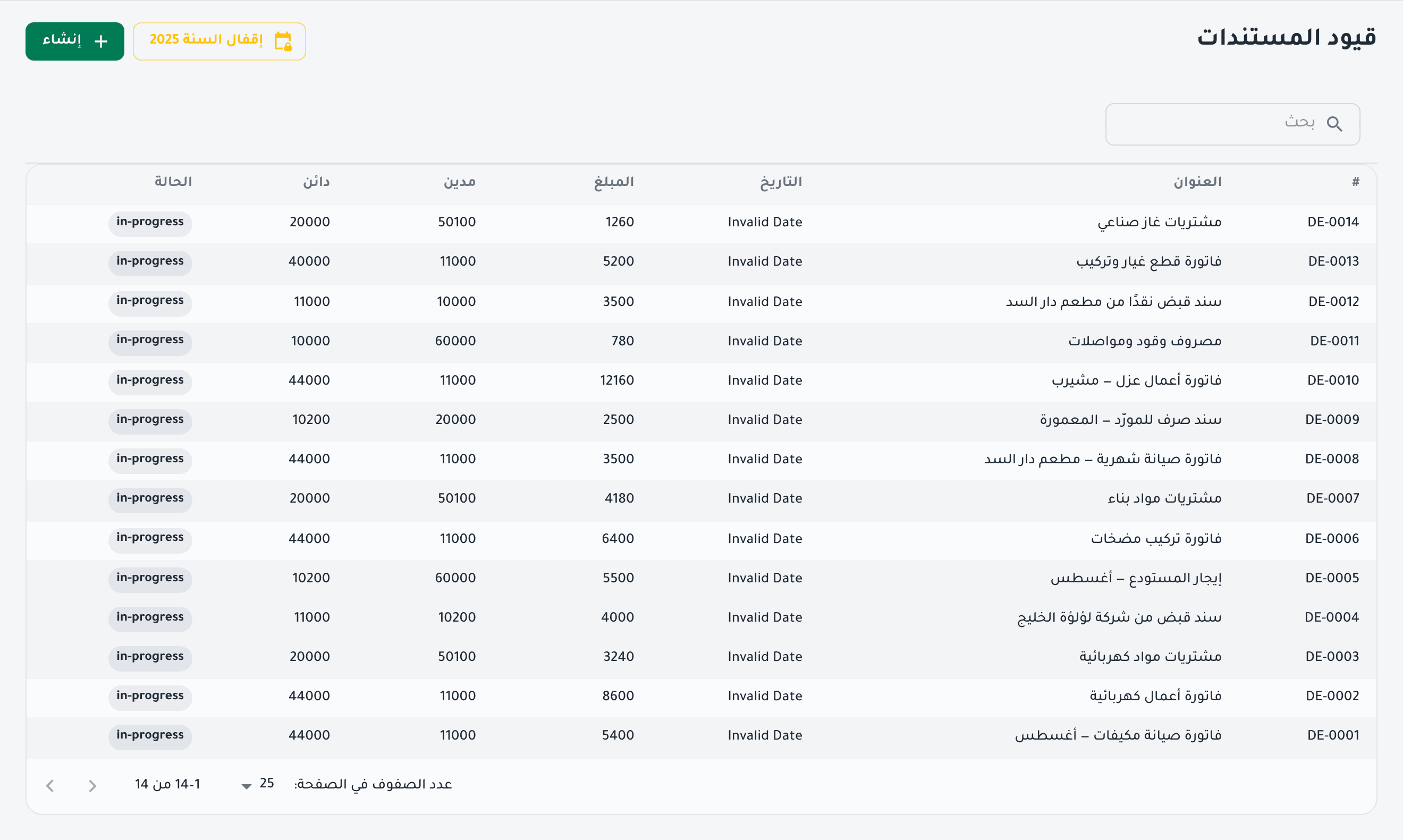
And you see where every document stands, at any moment
Nothing enters your books without a human: AI prepares, you confirm with a word, and a Tadween accountant reviews your books and signs off your closing figures — monthly on Premium and Professional, quarterly on Basic. The numbers are computed in code, the decision stays with a person, and the speed comes from the machine.
Who does what
| Task | Owner | Usual time |
|---|---|---|
| Capturing the document, or typing it in words | You | Seconds |
| Reading the document, extracting fields, preparing the entry | AI | Within a minute |
| Confirming what was extracted, which posts the entry and seals its document | You — with the word “confirm” | Within a minute |
| Reviewing the books and correcting what needs it | Tadween accountant | At your plan's cadence: quarterly · monthly · monthly + a call |
| Raising a review request when something is unclear | Tadween accountant → you | In writing, not a month-end call |
| Monthly close and reports | Tadween accountant | Within days of month end |
| Archiving, indexing and search | The system | Immediate |
And what happens when the machine gets it wrong
Poor handwriting or an unclear photo
The machine's confidence drops, and below 0.8 the extraction comes back marked “ review”, so you see it before you confirm. The accountant handles it manually, at no extra charge.
A supplier not yet in your books
It does not create an account by itself: the supplier is opened by the accountant, who asks you if it resembles an existing one.
A total that does not match the line items, or a date out of range
An arithmetic rule on the server catches it: the total is compared with the sum of the line items (and with that sum plus tax), and the date must fall between today minus two years and today plus seven days. Whatever fails comes back marked “ review” beside that exact field, in the chat and on the screen, and the document stays in “needs review”.
The first thirty days
Day 1
Kick-off call, account opened, chart of accounts and opening balances.
Day 7
The first batch read and reviewed, with any classification corrected together with you.
Day 30
The first monthly close: income statement, balance sheet and statements, with a report explaining the numbers.
And from your phone too
The Tadween mobile app photographs an invoice, uploads documents in batches, tracks every document, shows review requests and talks to the agent. It is being prepared for release on the app stores; the store link will appear right here on the day it ships — no store badge before its time, and no promised date.
Register
Tadween Qatar's pilot launch is on 1 October, with a limited group of companies. Register your interest today and we will be in touch.
Or book a 15-minute live demoPilot launch on 1 October with a limited group of companies · no credit card · register and we will be in touch